


To log in to Kong Casino, open the casino's website in your browser, choose to log in and enter the email or username and password you registered with. The steps above show the order. This page covers what sits behind them and what to do when the login does not work.
Logging in happens only on Kong Casino's own website. This page has no login form and never asks for your details. Kong Casino has no iPhone app and no Android app, so the website is the way in, on a desktop computer or in a phone browser. The mobile version page explains how the site works on a smaller screen.
Before you start, have these ready:
- the email address or username you used when you registered
- your password, or access to the email account so you can reset it
- your verification documents, in case you are asked for them
- a stable internet connection
If you have not registered yet, the sign-up guide comes first, because there is nothing to log in to until the account exists. If you already have an account and the login keeps failing, go straight to the problems section below. Most failed logins come down to a mistyped password or the wrong identifier, and both are quick to fix.
What stands behind the login
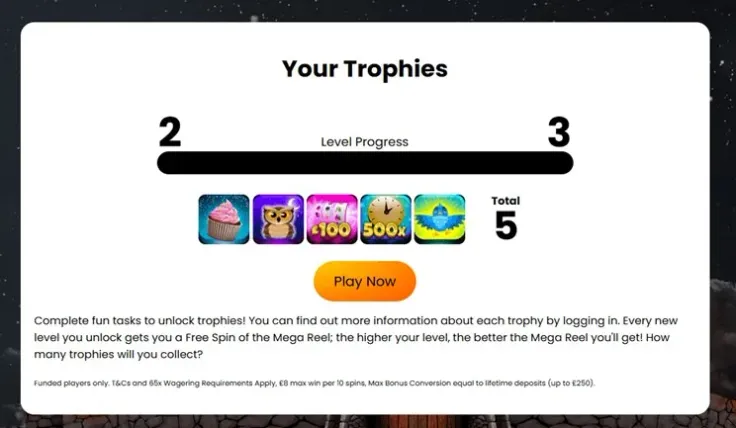
Where you log in
Kong Casino is a website-based casino. You sign in through a browser on desktop or mobile, and there are no downloadable apps for iPhone or Android. Be careful with search results that claim to offer a Kong Casino app. Since none exists, any such download is not from the casino. The safest route is to type the address yourself or use the visit Kong Casino link on this site, then bookmark the page you land on.
Email, username and password
The steps above ask for the email or username you registered with. Use the same identifier you chose at sign-up, not a similar address you also own. Many people have more than one email account, and trying the wrong one is a common reason a correct password appears to fail.
Passwords are case sensitive on most websites, so check capital letters and look at the characters as you type. If your browser or password manager fills in details for you, make sure it is offering the entry saved for Kong Casino and not an older one.
Age and identity checks
UK-licensed operators must verify the age and identity of each customer before they can deposit or play. Kong Casino requires verification, so the checks form part of having a working account, not an optional extra.
Which documents are involved
The documents are: Photo ID (passport or driving licence), Proof of address (utility bill or government letter dated within last 3 months) and Proof of payment method (card photo with name and last 4 digits).
In practice, these cover three separate things:
- Photo ID shows who you are. A passport or driving licence is the usual choice.
- Proof of address shows where you live. It should be recent and in your name, such as a utility bill or government letter within the date range above.
- Proof of payment method links the payment method you use to you. The card photo shows your name and the last four digits.
The name on every document should match the name on your account, and the payment method should be in your name. A mismatch, such as a card belonging to a partner or relative, is a common reason a document is turned down. The verification guide goes through each document in more detail.
What can take time
Clear, complete images are the simplest way to avoid delays. Unclear photos, cut-off corners, glare and expired documents usually mean a document has to be sent again. Before you upload anything, check that all four corners are visible, the text is easy to read, and the name matches the name on your account.
If verification is taking longer than you expected, contact support before you send the same documents again. Sending a duplicate often adds to the wait, because it creates a second item to review.
Verification comes before you can pay in or play, so it is worth completing early rather than when you first need to deposit. For the money side, see the deposit guide and the withdrawal guide. <<</FIX 1>>>
18+ · T&Cs apply
Common login problems and what to do

You forgot your password
Use the password reset option on the login screen, as in the steps above. Before you do, check the identifier. If you are typing an email address, make sure it is the one you registered with, and if you use a username, check the spelling. If the reset still does not work, contact support rather than creating a second account. A duplicate account causes more problems than it solves, especially at verification.
The password is right but the login fails
Work through the simple causes first:
- Check that caps lock is off and that no extra space has crept in at the start or end.
- Type the password by hand instead of pasting it, in case a saved or copied version is out of date.
- Reload the page, or close the browser and open it again.
- Update your browser, or try another one.
- Switch between Wi-Fi and mobile data, because a poor connection can interrupt the page.
If none of this works, the problem may be with the account and not with your device. That is a job for support.
The page does not load or looks wrong
Check that you are on the right website. Look at the address in the browser bar before you type anything. A copycat page can look convincing, so if anything seems off, close it and reach the casino again through the visit Kong Casino link or your own bookmark. Never enter your password on a page you reached by following a link in a message.
A document is rejected
Read any reason given and fix that specific point. Typical causes are a blurry image, a cut-off edge, a document that is out of date, or a name that does not match the account. Remember that proof of address must be dated within the window in the document list, and the payment-method photo should show your name and the last four digits. Send a new, clear image of the same document. If the reason is unclear, ask support what to correct before you try again. Never send an edited or altered document.
You are not sure which account you registered
If you cannot remember whether you signed up with an email or a username, try each one you might have used, one at a time, rather than guessing at random. If you still cannot get in, support can help you work out which details are attached to the account.
When to contact support
Contact Kong Casino support when the reset does not work, when you cannot tell why the login fails, or when verification stalls. Kong Casino offers live chat and email. There is no phone line. Hours are Live chat 6am–9pm (BST), 7 days a week; email. Live chat is the quicker route when it is open, and email suits anything that needs documents or a longer explanation. The contact page lists the options.
When you write, give the email address or username on the account and describe what happens, for example the message you see after entering your details. Never include your password in a chat or an email, whoever you are writing to.
Keeping your account safe

- Enter your password only on Kong Casino's own website. This site has no login form and never asks for your details. If anything claims to be a login page on another site, close it.
- Use a password you use nowhere else. If one site leaks your details, a repeated password lets someone try them on your casino account. A long phrase is easier to remember than a short string of symbols.
- Keep your email account secure. Whoever controls your email can often reset passwords elsewhere, so protect it with a strong password of its own.
- Do not share your login. Not with friends, not with family, and not with anyone who contacts you offering help.
- Log out on shared devices. Avoid saving your password in a browser that other people use, and avoid logging in on a public computer.
- Keep your documents ready. A clear photo of your ID, a recent proof of address and a card photo showing your name and last four digits save time when verification comes up. Store them somewhere private.
- Bookmark the genuine site. Reaching Kong Casino from a bookmark you made yourself is safer than searching each time.
Logging in is also a good moment to check your controls. Set a deposit limit before you play, and revisit it if your circumstances change. The safer gambling page explains the tools, and GAMSTOP lets you exclude yourself from all UK-licensed online casinos if you decide you need a break.