
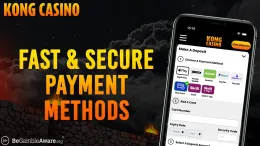

A Kong Casino deposit is made from inside your account: log in, open the cashier, pick a payment method and enter an amount of at least £10. The steps above show the order, and the table lists which methods can be used for deposits.
Before you start, have your payment method to hand and make sure the account is in your own name. If you have not registered yet, the sign-up guide comes first, and the login guide helps if you cannot get into an existing account. This page covers what sits behind the steps and what to do when a payment does not work.
What happens behind the deposit steps

The deposit itself is short. Most of what matters is decided before you reach the cashier: whether your account is verified, whether the method suits you and whether the details match.
Age and identity checks
Every UK-licensed operator must verify age and identity before a customer can deposit or play, and Kong Casino requires verification. The documents are: Photo ID (passport or driving licence), Proof of address (utility bill or government letter dated within last 3 months) and Proof of payment method (card photo with name and last 4 digits). Prepare clear copies of each one before you need them, so a request from the casino does not catch you without them. The verification guide goes through each document.
The proof of payment method is the one that most affects deposits. It ties the card or account you pay with to your name, so use a method that belongs to you and not one borrowed from a partner or friend.
Choosing a payment method
Kong Casino accepts Debit Card (Visa/Mastercard), PayPal, Skrill, Neteller, Paysafecard and Pay by Mobile. They fall into a few types, and the type matters in practice:
- Debit card: pays straight from your bank account. Only debit cards are accepted for gambling in Great Britain, so a credit card will not work.
- PayPal, Skrill and Neteller: these use a separate payment account, which keeps gambling payments apart from your main bank statement.
- Paysafecard: a prepaid option, which is one way to keep your spending tied to an amount you have already set aside.
- Pay by Mobile: the payment is charged through your mobile account.
The table above shows a withdrawal column for each method. If you expect to take money out later, look at it before you choose how to deposit, and read the withdrawals guide so you know what to expect in both directions.
The minimum amount
The minimum deposit is £10. The same minimum is shown in the limits table, so you do not need to look for it elsewhere. Other limits are shown in the table only where they are stated; do not assume any figure that is not there.
Bonuses and deposits
If you are thinking of a deposit bonus, read its terms before you pay in. The welcome bonus page sets out what applies to this offer. T&Cs apply.
18+ · T&Cs apply
Common problems and what to do

Most failed deposits come down to a few causes. Work through them in this order before you contact anyone.
The payment does not go through
Check the simple things first:
- The amount is at least £10.
- The method you chose is on the accepted list above, and it is a debit card if you are paying by card.
- The card number, expiry date and security code are entered exactly as they appear on the card.
- The name on the payment method is your own and matches your Kong Casino account.
- Your bank or payment provider has not blocked the payment. Some banks and providers let customers block gambling payments, so a decline can come from that side.
If one method keeps failing, try another from the list instead of repeating the same payment several times. Repeated attempts will not change a decline.
Money has left your account but the balance has not changed
Do not deposit again straight away, because that can leave you with a double payment to sort out. Note the date, the amount, the method and any reference number, then contact support with those details. Your bank or payment provider will also show whether the payment is complete or still pending.
A document is rejected
Rejections are usually caused by the image, not the document. Photograph or scan the whole page on a flat surface in good light, and make sure every corner is visible and every line can be read. For proof of address, the utility bill or government letter must be dated within the last 3 months, as listed in the documents above. The proof of payment method needs the name visible, so cover nothing that the casino has asked to see. Never edit, crop out or alter a document, and never send someone else's.
You cannot get into your account
You cannot make a deposit without logging in. If the password is the problem, the login guide covers it. If that does not solve it, contact support rather than opening a second account.
When to contact support
Contact support if a payment has left your bank and has not appeared, a document keeps being rejected, or you are unsure what the casino needs from you. Support is available through: Live chat 6am–9pm (BST), 7 days a week; email. There is no phone line, so use live chat or email, and put the date, amount and payment method in your first message. The contact page has the details.
Keeping your account and spending under control

Enter your password only on Kong Casino's own website or app. Do not follow links from messages that ask you to log in or confirm a payment, and never share your password or the one-time codes your bank sends with anyone. Support will not need them.
Decide how much you are comfortable spending on gambling as entertainment before you open the cashier, and set a deposit limit in your account to match. Treat that limit as a ceiling to stay under, not a target. The safer gambling page explains the tools available, including time-outs and self-exclusion.
Keep your documents saved in a place you can find easily, so a verification request does not delay anything. Check your bank statement now and then against what you meant to spend, and if a deposit appears that you did not make, contact your bank and Kong Casino support straight away.